Material Hub: acedrop
Project: Scaling Firm Libraries
Teams Involved: CX-AECO, Data, Product, & Engineering
Role: As the Director of Material Research, my role was to design and oversee the transformation of the Firm Library process at Acelab. Having worked directly on manual uploads and customizations for over six months, I understood the intricacies and pain points of the system. My challenge was to create a strategic plan to scale the firm libraries, ultimately improving the implementation timeline from 2 weeks to 1 day. This effort required close cross-functional collaboration between CX-AECO, Data, Product, and Engineering teams. I developed a comprehensive integration plan broken into five key stages: S1 Data Breakdown, S2 Smart Extraction, S3 Database Sync, S4 Automated Upload, and S5 Tailored Customization. Currently, I oversee the accuracy of S1 and S2, while the Data team works on S3-S4, and the final stage, S5, is handled by my team.
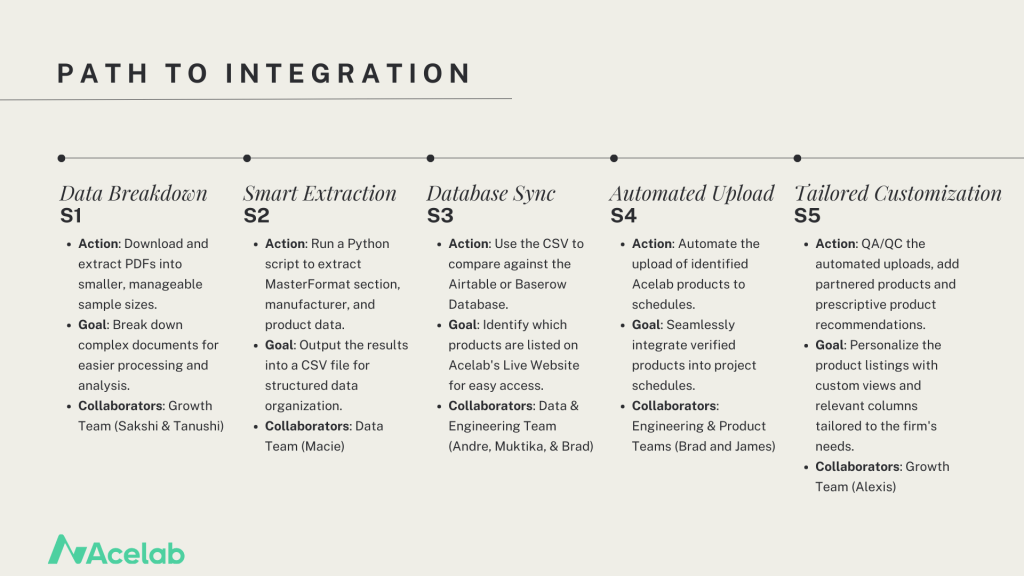
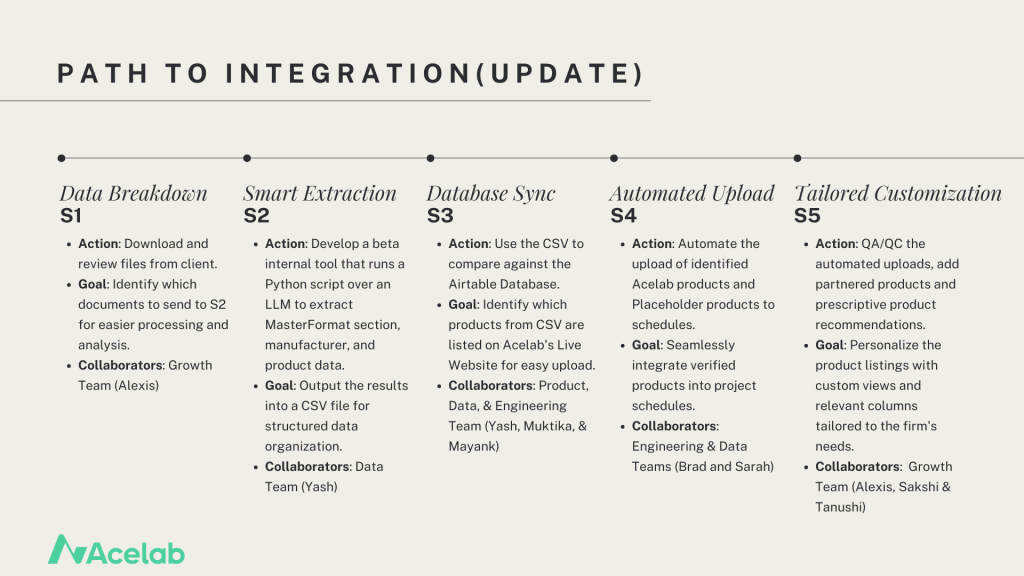
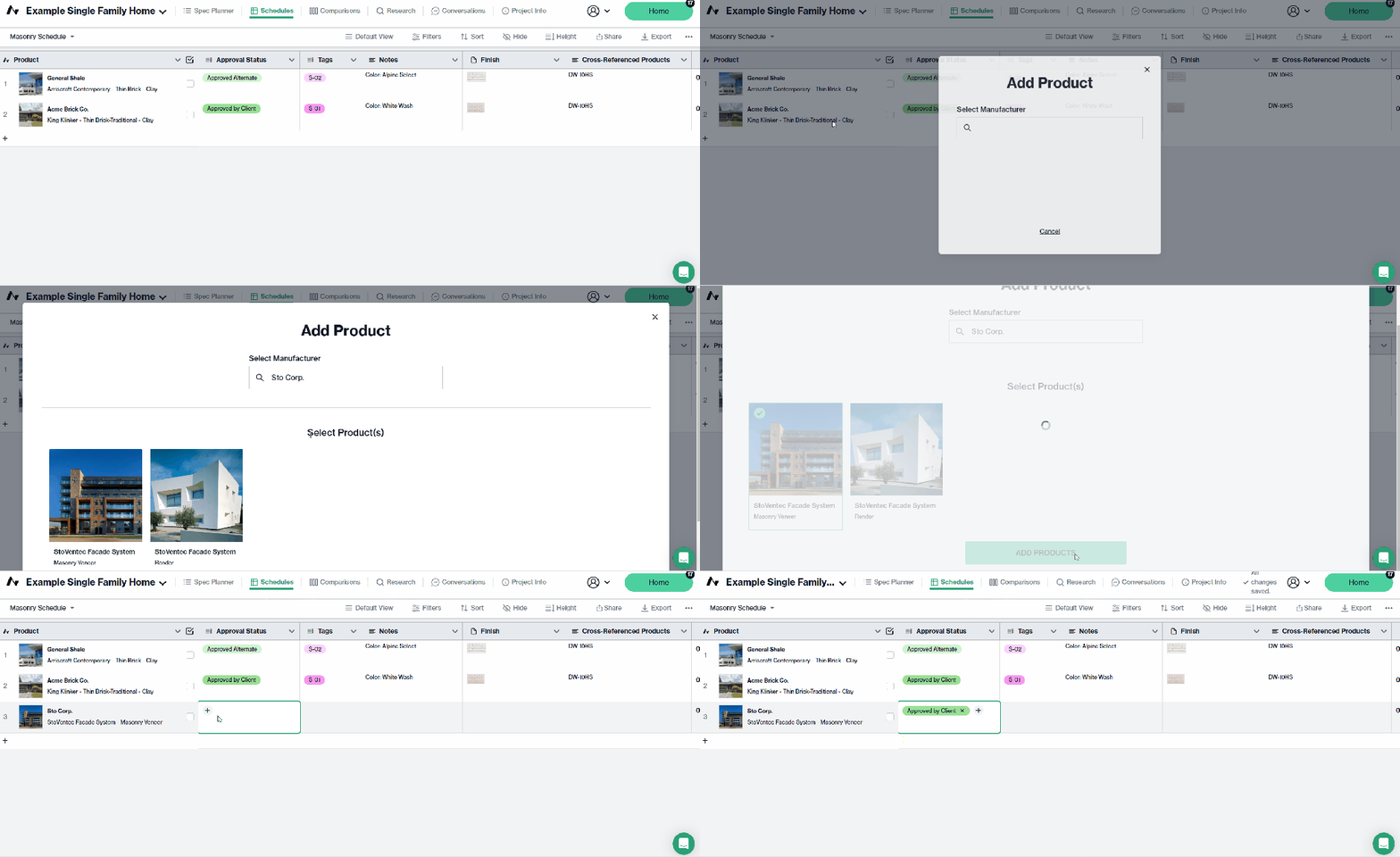
Process: The current product upload process is a manual operation managed by the Library Implementation team. The team creates schedules by building categories and adding products, which include both Acelab’s live products available on the website and placeholder products—those missing data that the team manually creates until the full product details are available. Previously, with a single person handling this process, 2-3 Firm Libraries were developed weekly, with an average of 100-150 products per library. Now, with a team of six, we are able to add 3-4 times the number of products, resulting in a more comprehensive Firm Library. The team’s manual search and addition of products has laid the foundation for scaling the implementation process using AI tools and automation currently under development.
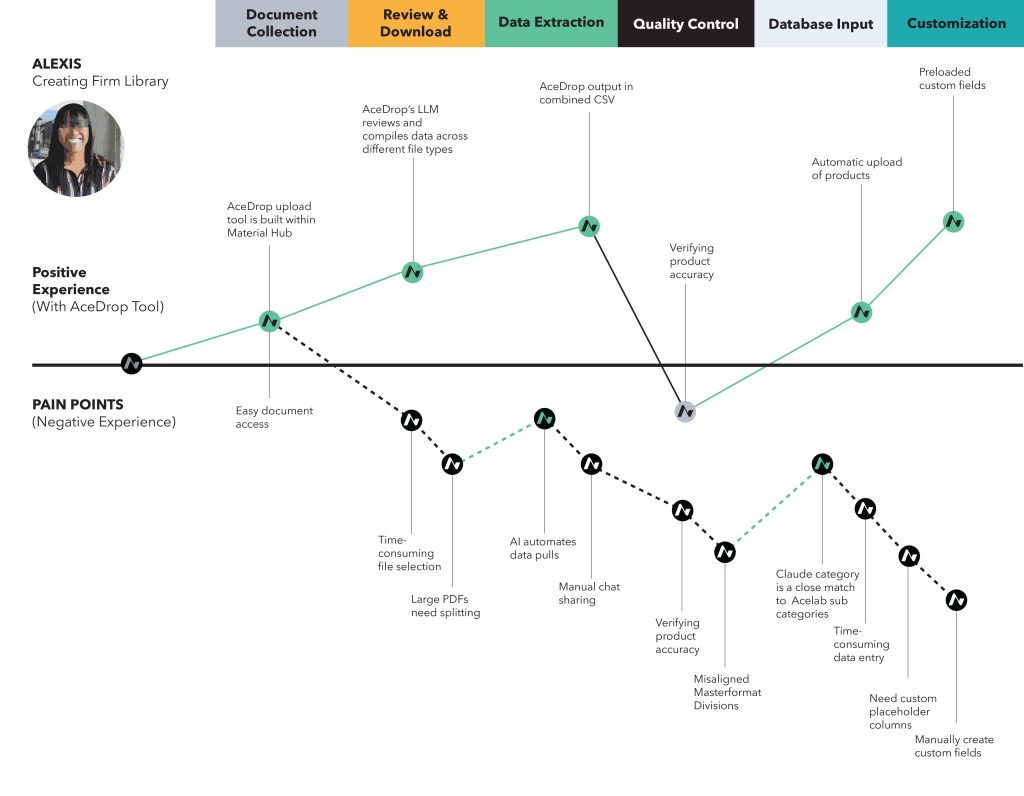
Challenge Statement: The firm library upload process, while essential for streamlining our material research, was hindered by a slow implementation timeline. A key challenge was reducing the time required to generate a firm’s custom material library from two weeks to one day. Additionally, the process lacked a scalable solution that could accommodate different types of input documents and provide consistent, curated results. To meet this challenge, a more efficient, automated system was needed without sacrificing the level of customization that our clients expect.
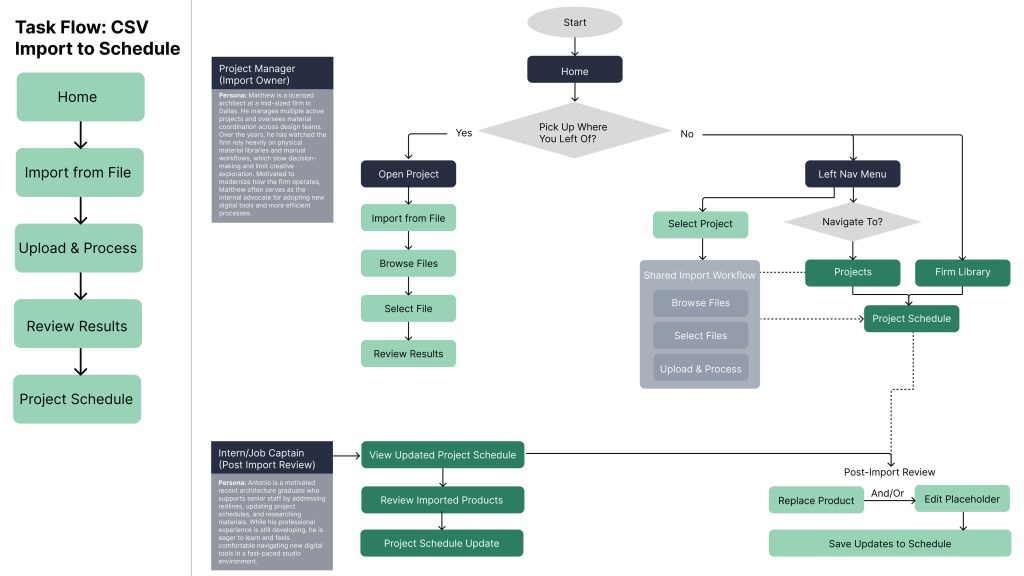
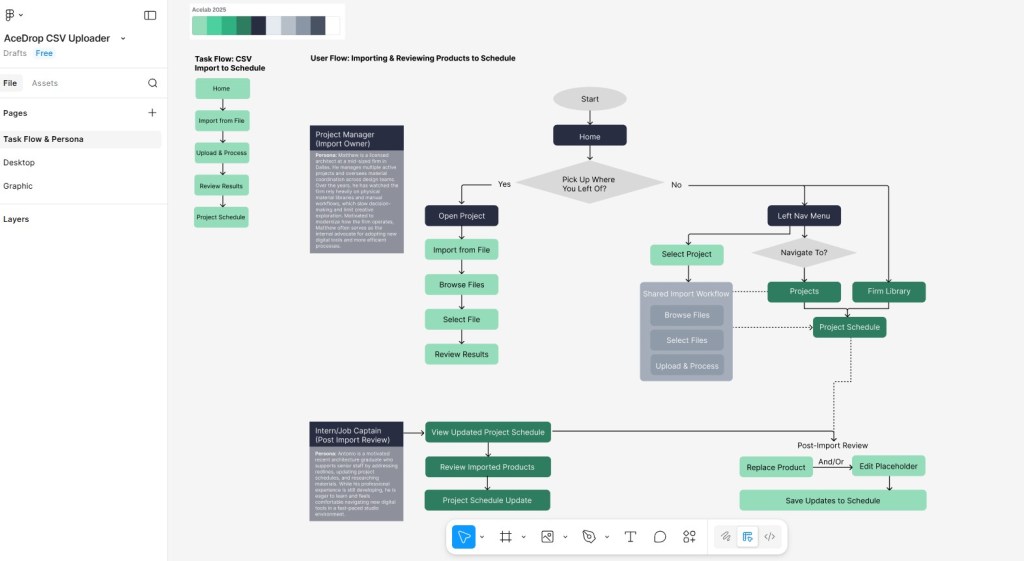
Task Flow vs User Flow: A key focus of this project was separating user intent from interface-driven behavior. By mapping the Task Flow alongside the User Flow, I identified where the current experience required users to adapt to the product rather than the product supporting their work, resulting in avoidable inefficiencies. The Task Flow further outlines the essential steps required to successfully upload structure product data to Material Hub, while the User Flow illustrates how two personas navigate the product to prepare and import files into Schedules, highlighting key decision points introduced by the proposed interface.
Affinity Diagrams: Based on feedback from seven architectural professionals, ranging from mid-level Job Captains to licensed Project Managers, the top-rated categories were Search & Filtering, Data Entry & Standardization, and Integration & Customization. These interconnected areas emphasize that structured data is key to improving search accuracy, enabling customizable templates, and automating processes like folder auto-load. Enhanced search tools improve user experience, while integration features, such as project management links and custom finish options, support scalability and diverse workflows. Together, these priorities ensure the firm library is intuitive, efficient, and adaptable.
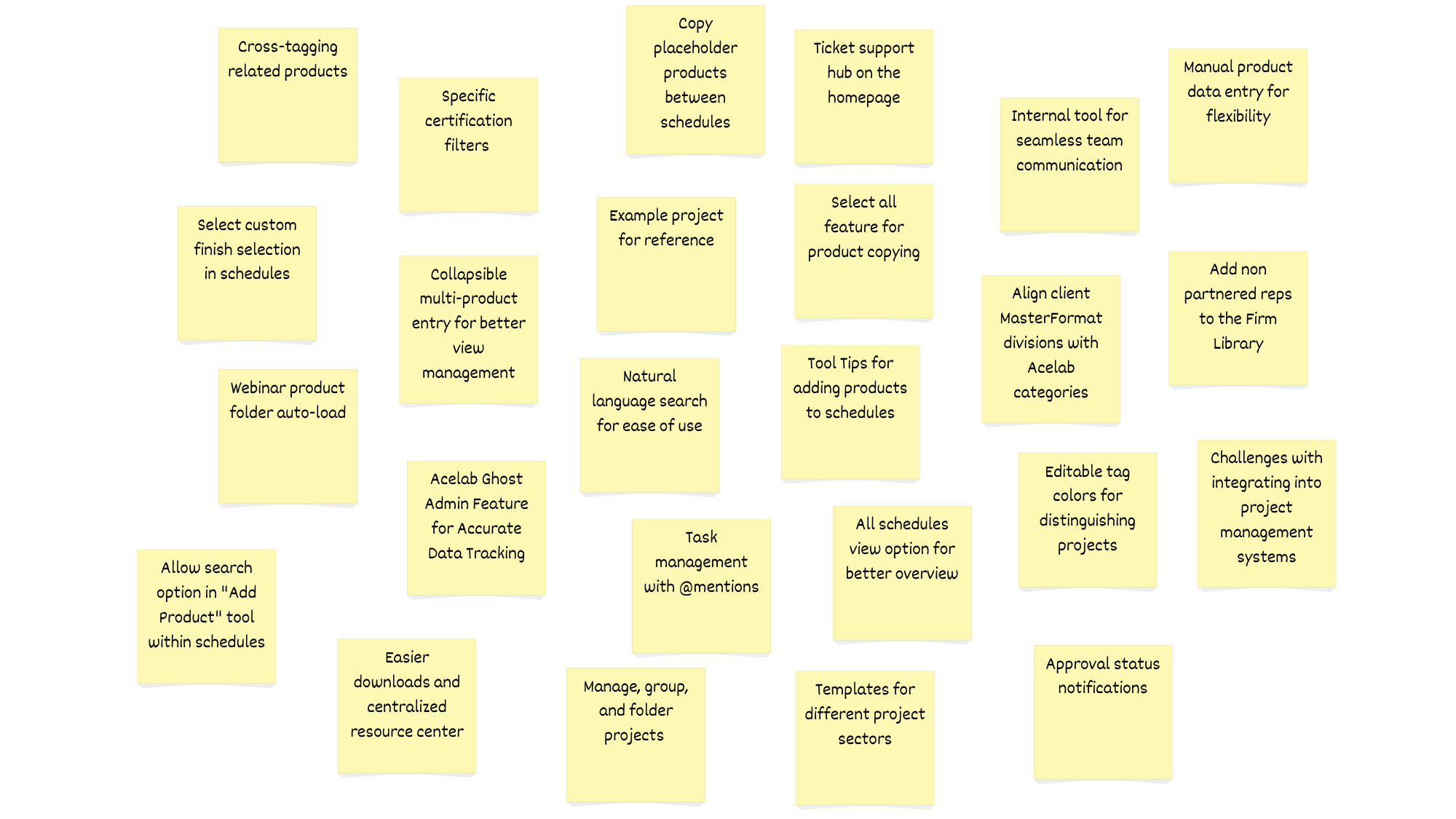
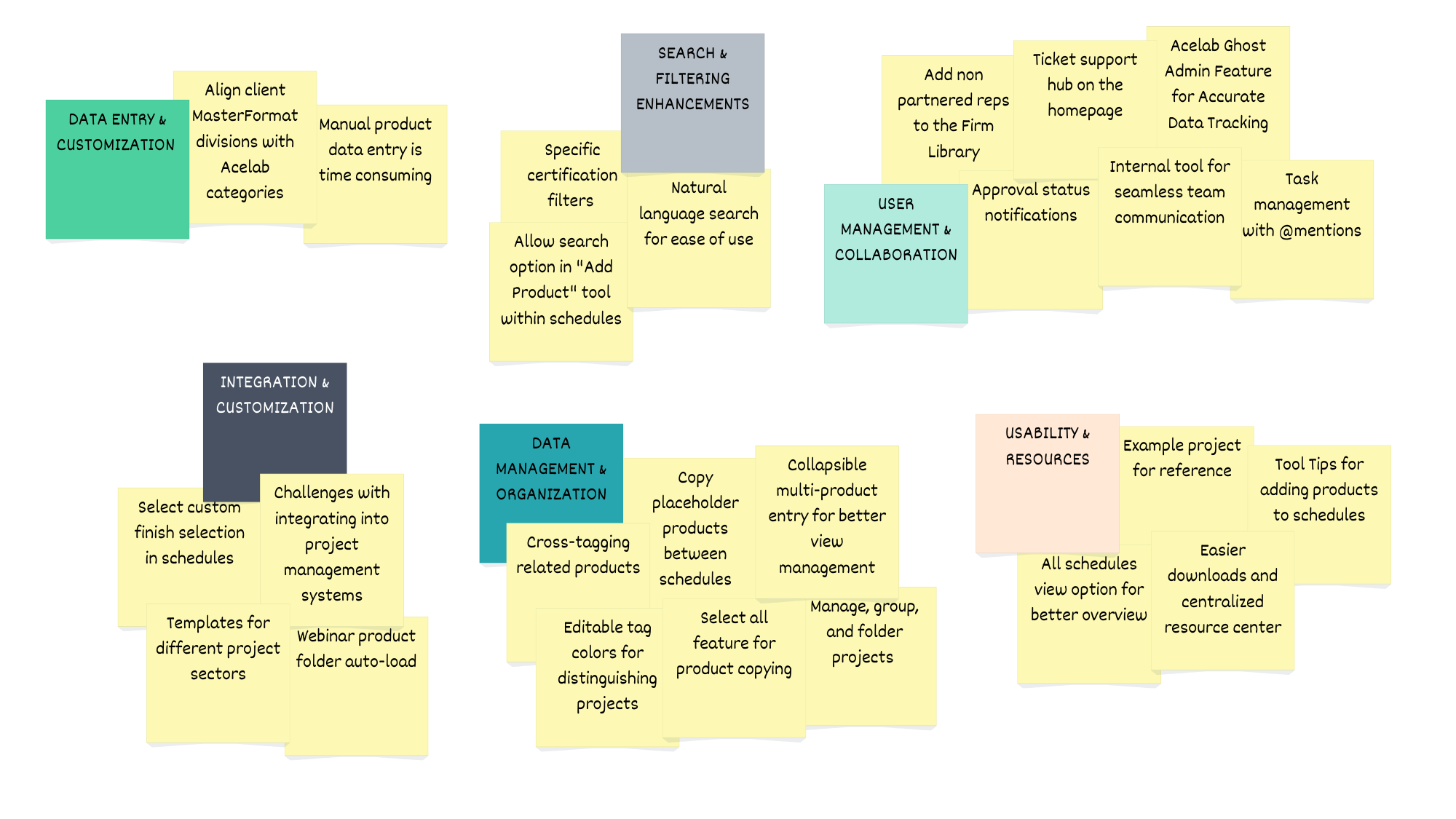
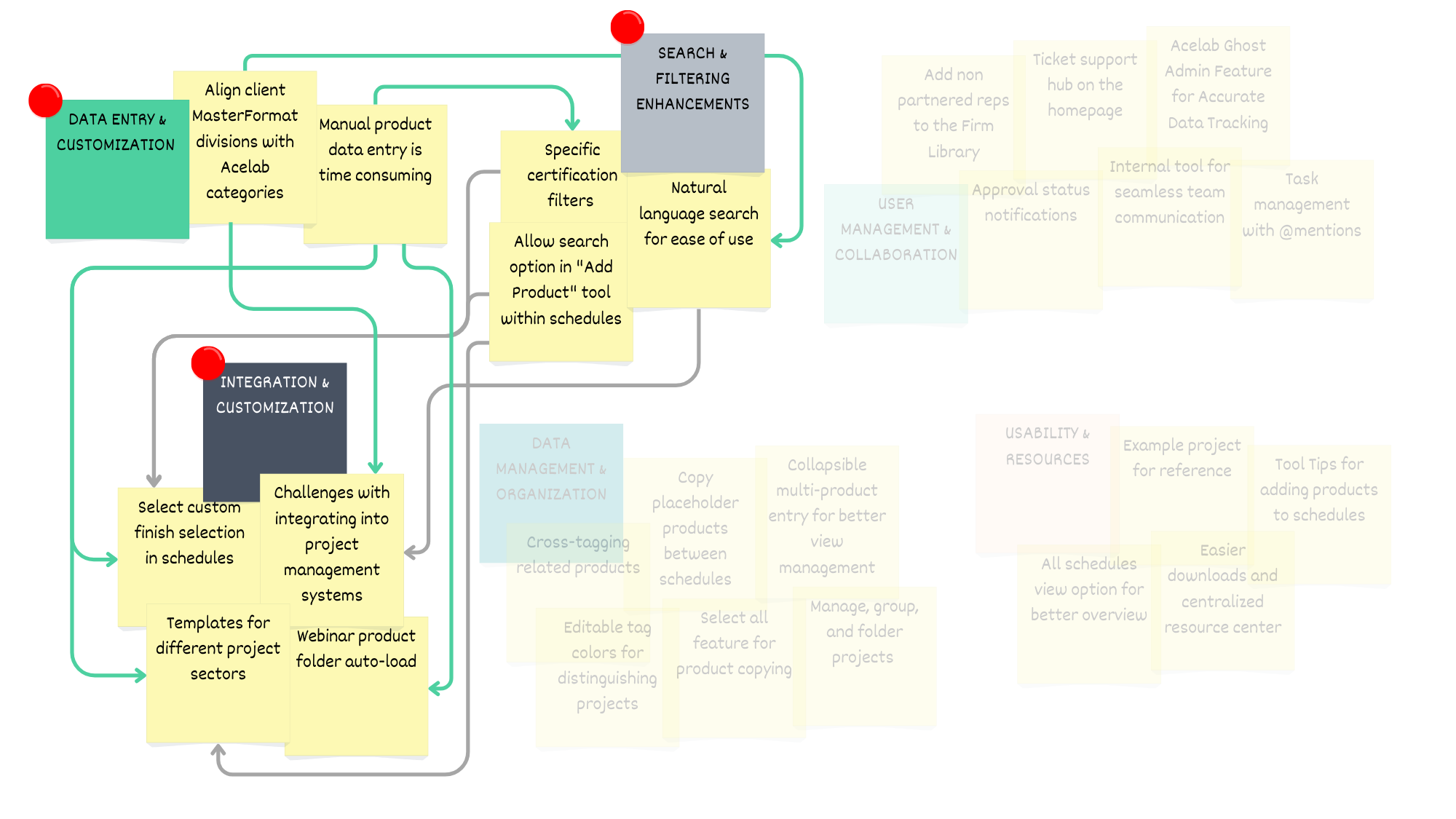
Affinity Diagram Analysis: The feedback from participants led the team to prioritize three main features that directly address the primary pain points of manual entry, inconsistent data, and usability challenges, while also supporting the scalability of the Acelab firm library. These features enhance user engagement by reducing friction in workflows and providing a more intuitive, automated experience.
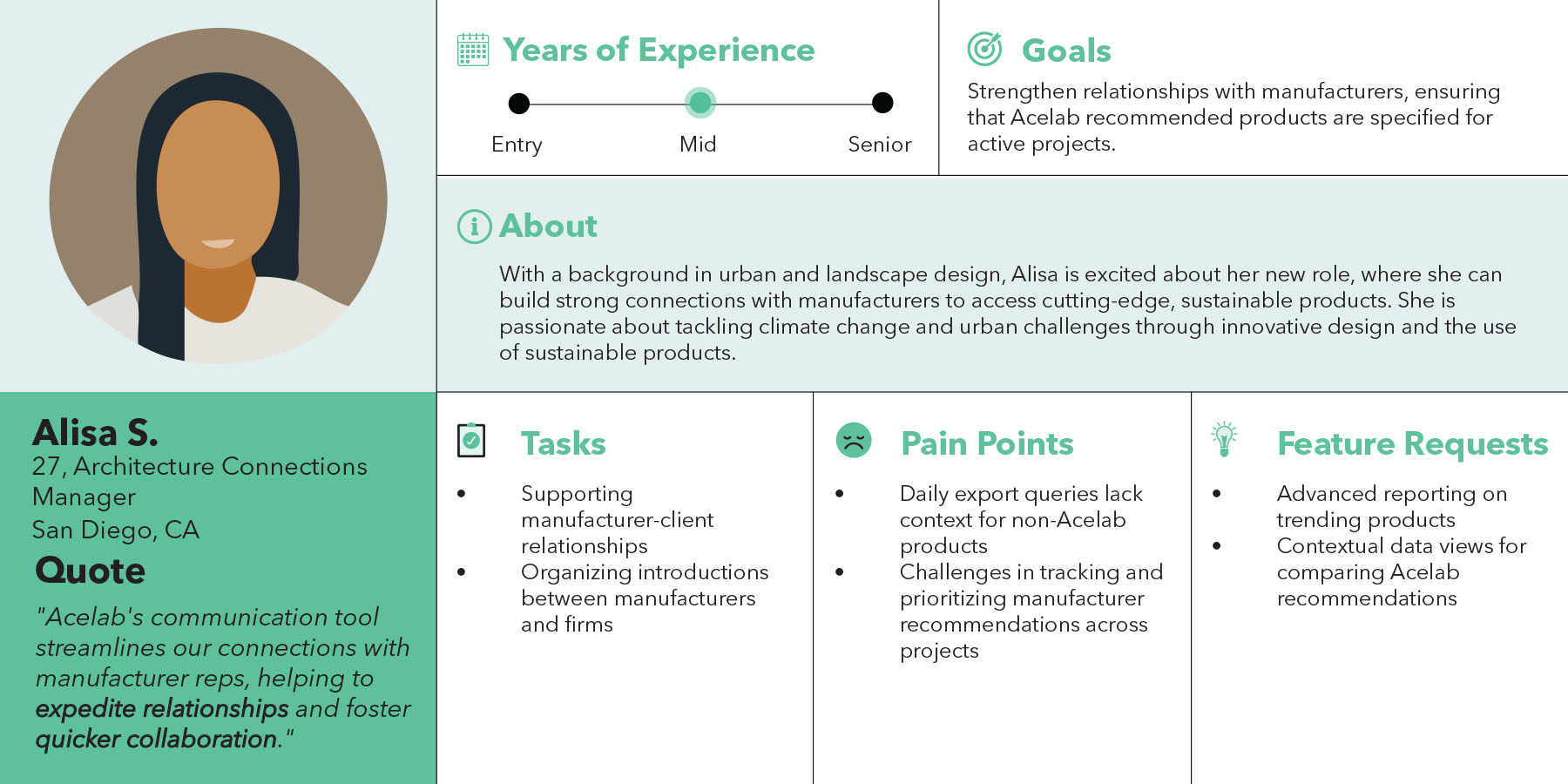
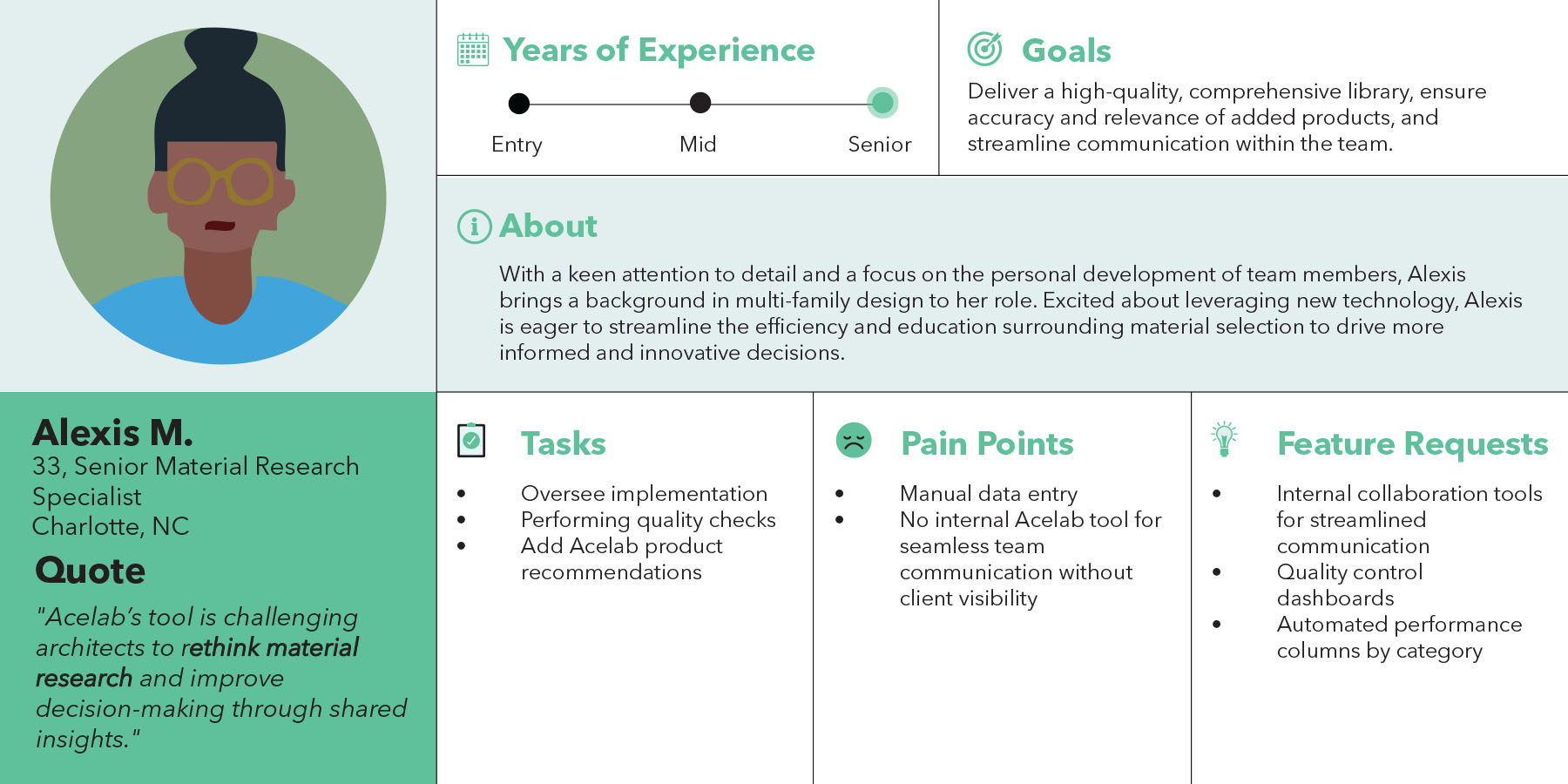
Architecture Firm User Personas: Womack + Hampton Architects is a mid-sized architecture firm based in Dallas, TX, specializing in market-rate multi-family apartments. The firm has partnered with Acelab to transition from a traditional physical material library to a streamlined digital platform. This transformation enhances their material decision-making process by providing easy access to an organized, searchable database, enabling more efficient selections, faster approvals, and improved collaboration. With Acelab, the firm is now equipped to make informed, data-driven material choices for their projects, ensuring quality and consistency in their designs.
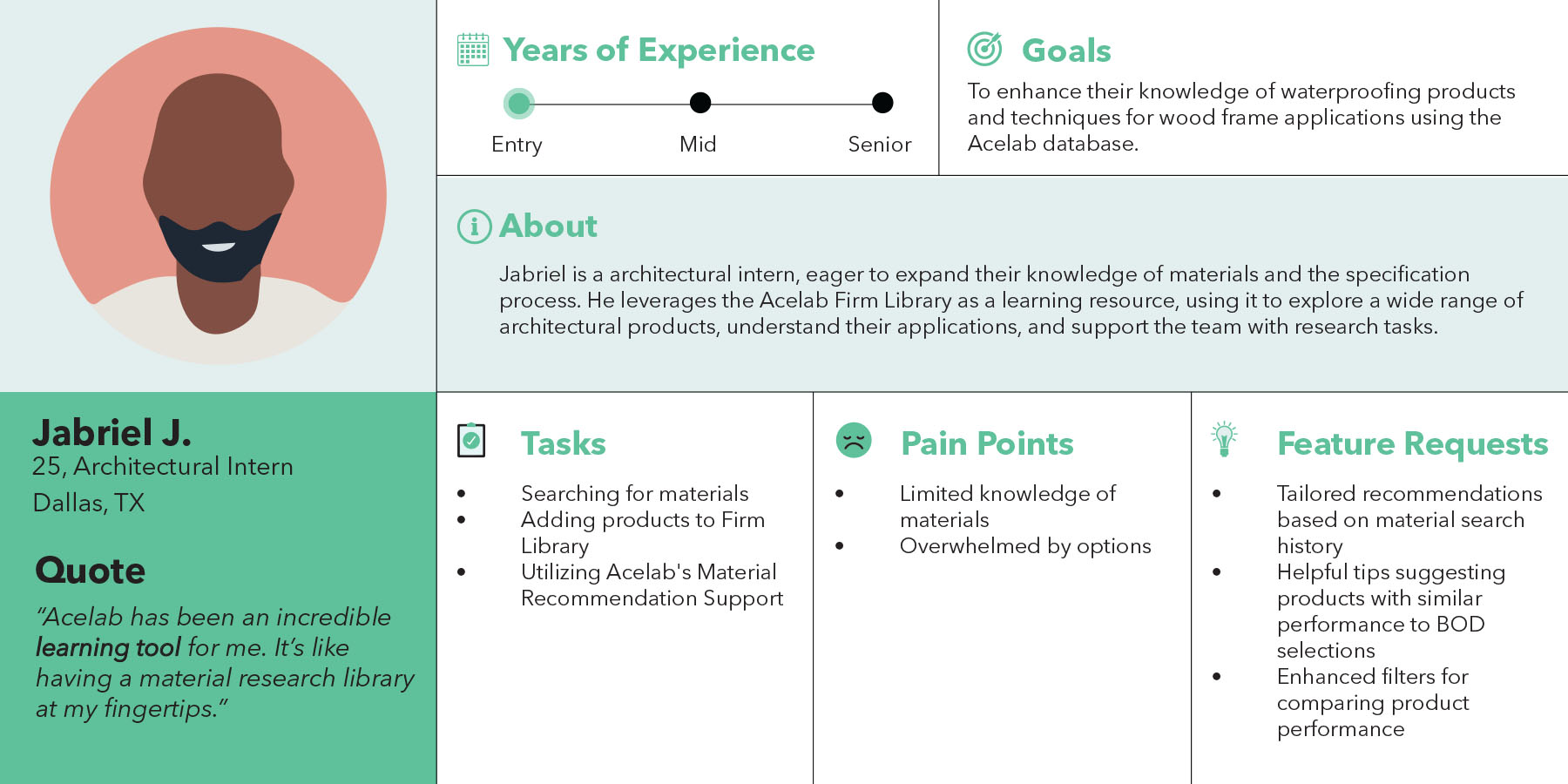
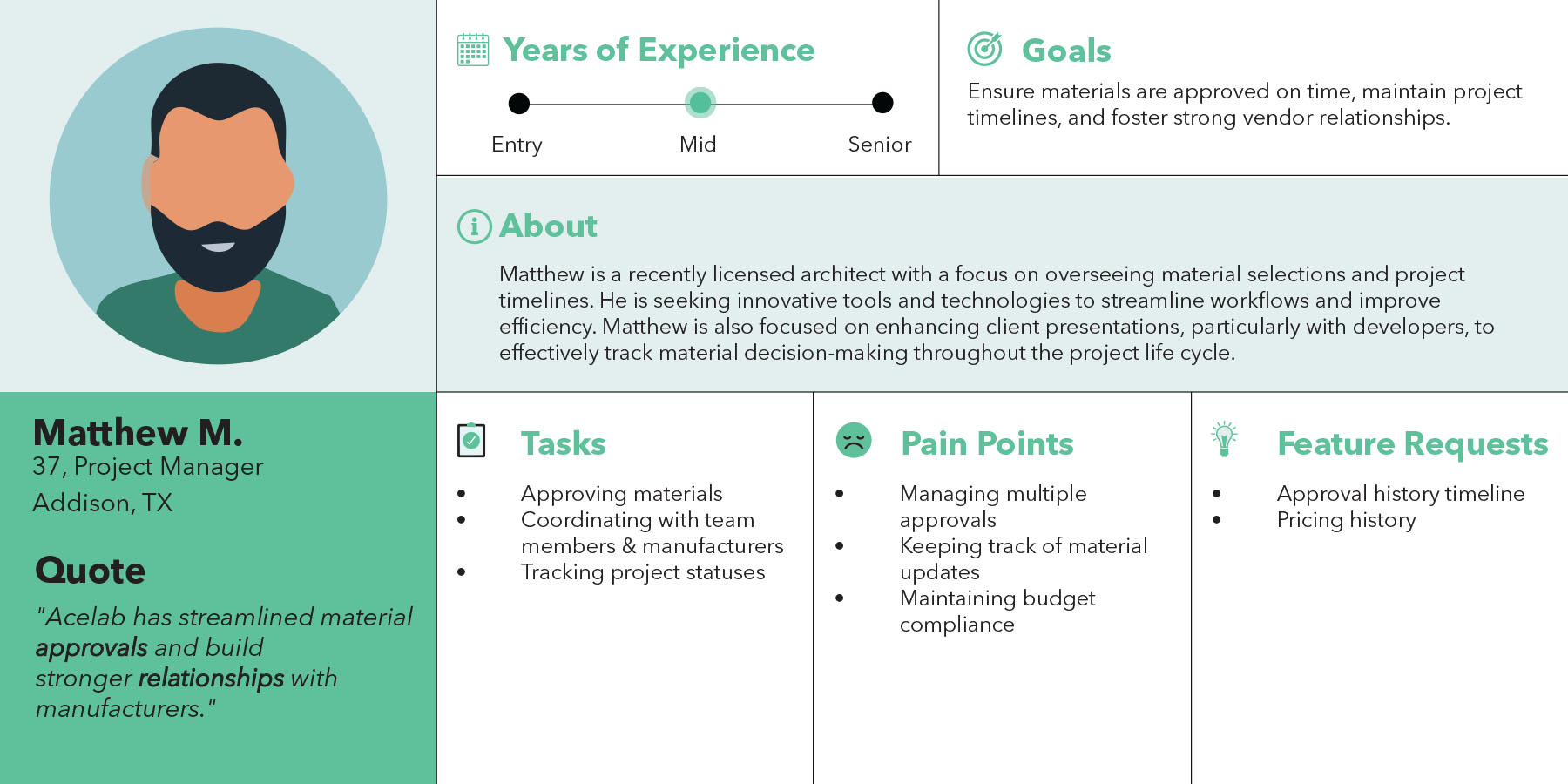
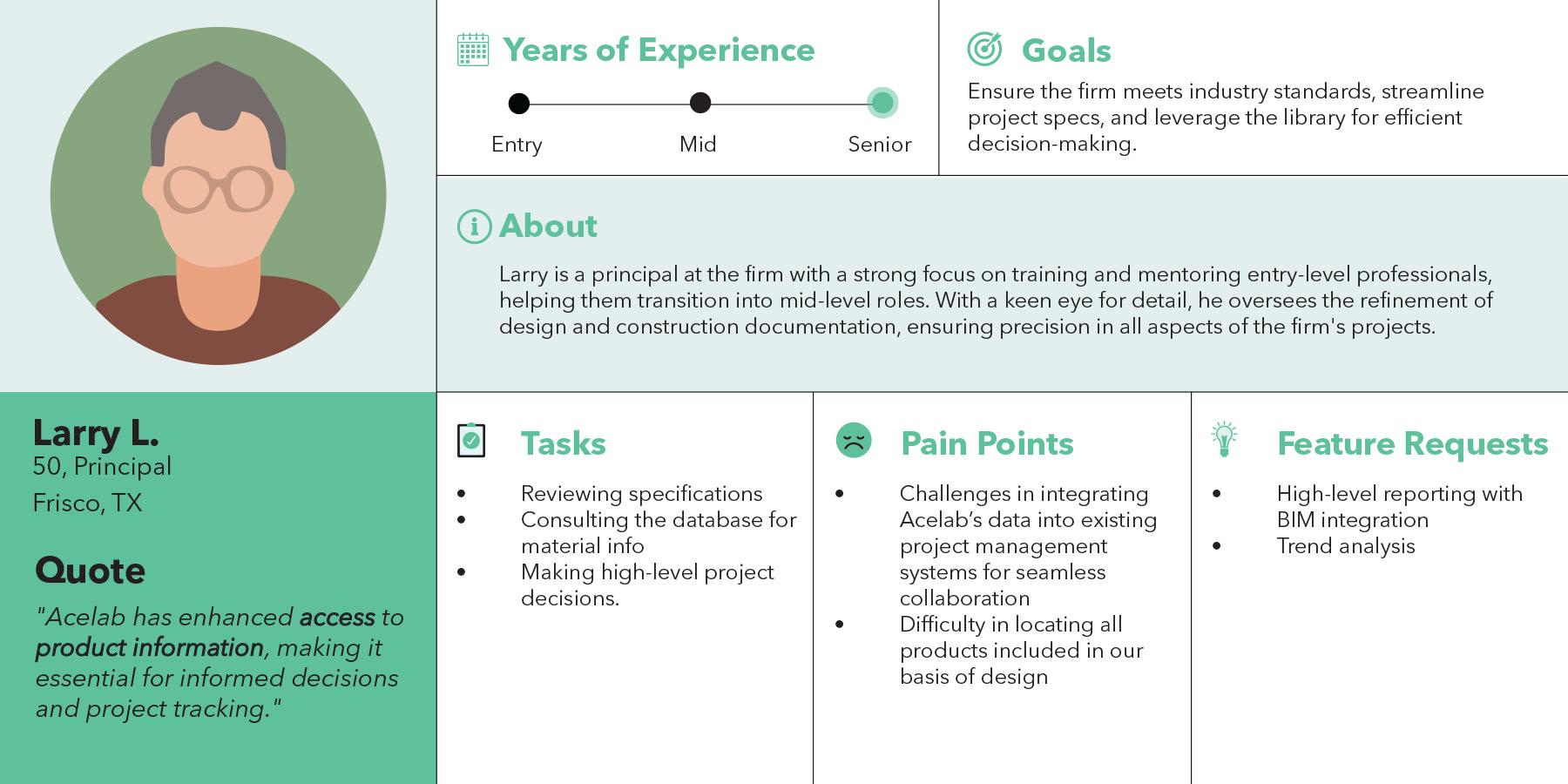
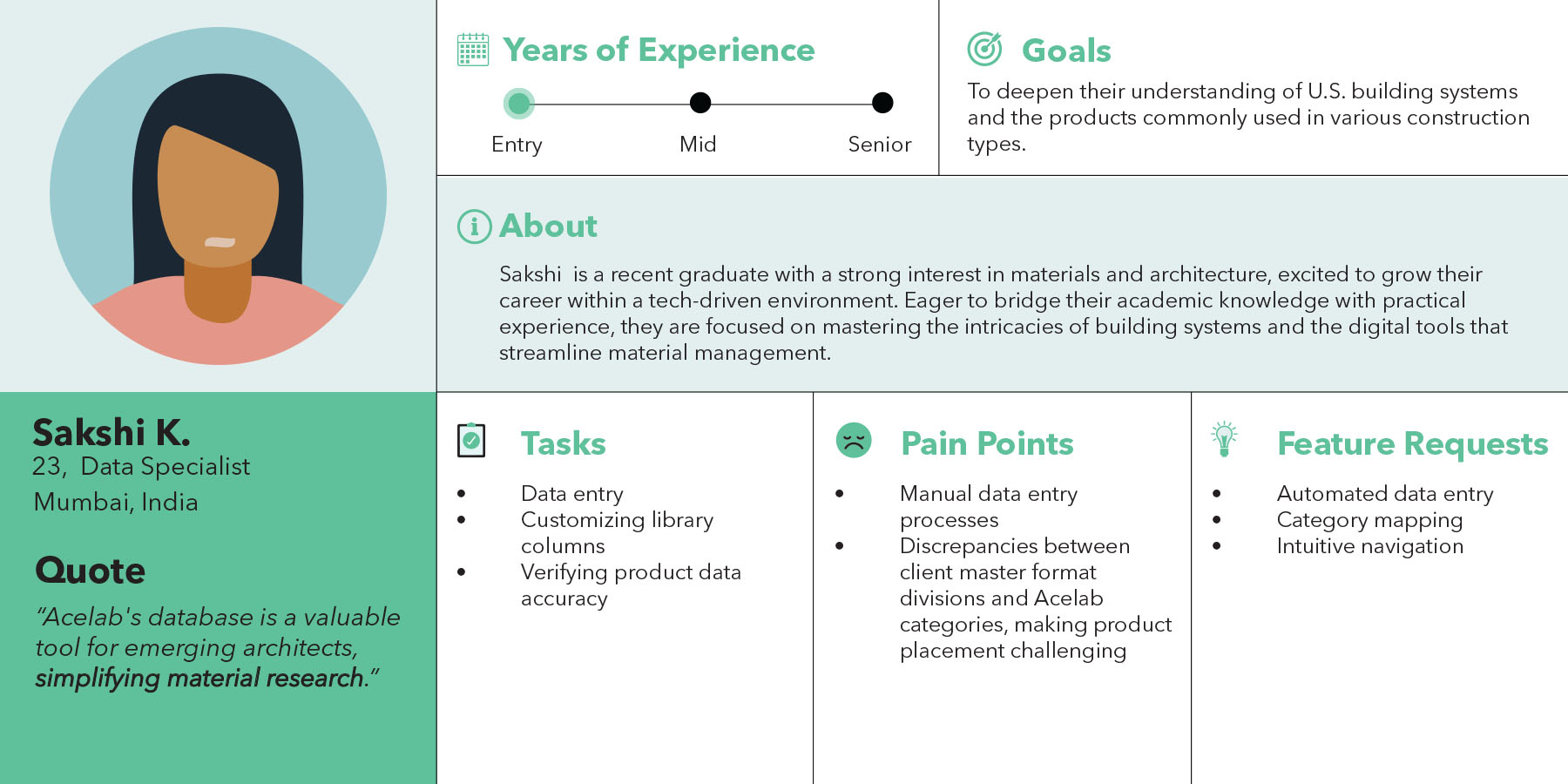
Acelab Team User Personas: The Library Implementation Team consists of internal super users responsible for developing and optimizing the firm library for clients. With deep knowledge of the software, they play a crucial role in shaping the user experience by offering valuable insights into user behavior, identifying feature requests, and reporting engineering bugs. Their expertise allows them to guide the integration of new features and improve existing functionalities, ensuring the library aligns with client needs and enhances material decision-making. This team is vital in bridging the gap between the product development team and end users, driving continuous improvements for a seamless experience.
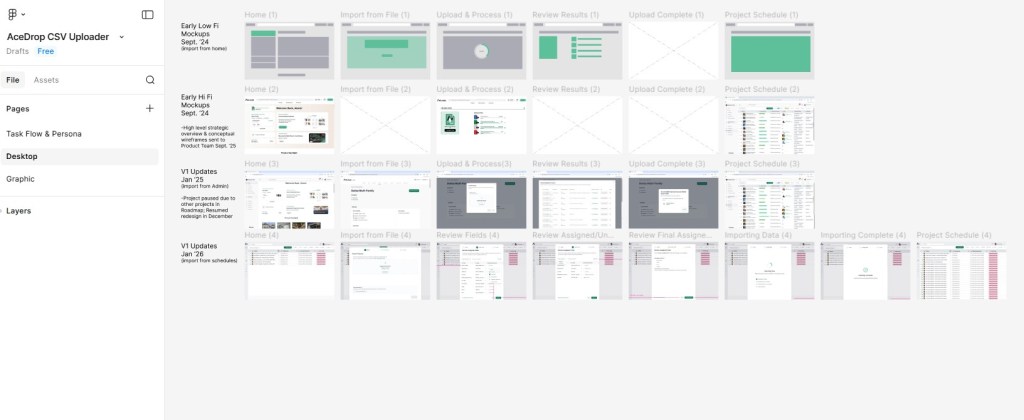
Design Organization & Working Figma File: My Figma workspace was intentionally organized into two primary pages to reflect both user understanding and design evolution. The first page focuses on task flows and user personas, using flow diagrams and Acelab’s brand colors to clearly communicate user intent and core behaviors. The second page documents the project’s progression over time, capturing how designs evolved as team structure, staffing, and priorities shifted. Together, these pages show not only the final outcomes, but the thinking, tradeoffs, and iteration that shaped the work.
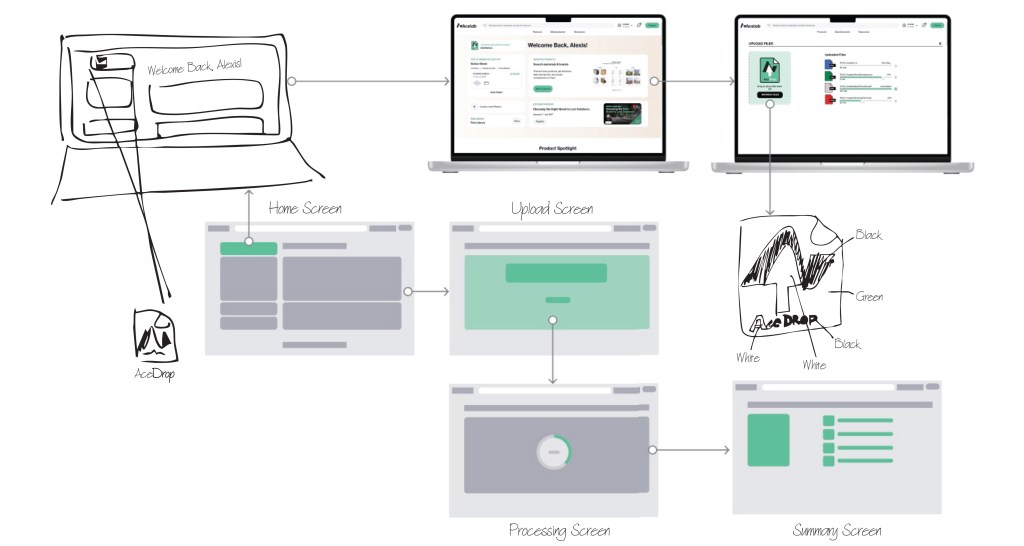
Early Design: AceDrop allows users to upload files which are converted into a CSV file, which is then cross-referenced with Acelab’s internal database to seamlessly add products to the firm’s digital library. The wireframe flow illustrates the user journey, from selecting the upload option to processing and reviewing the files, ensuring a smooth and efficient integration process.
Brainstorm Prototype: The AceDrop prototype was developed to address user pain points in the document upload process, focusing on simplifying navigation and enhancing efficiency. By allowing users to easily drag and drop documents, the tool streamlines the upload journey, providing an accessible and expedited way to build a comprehensive firm library of logged products.
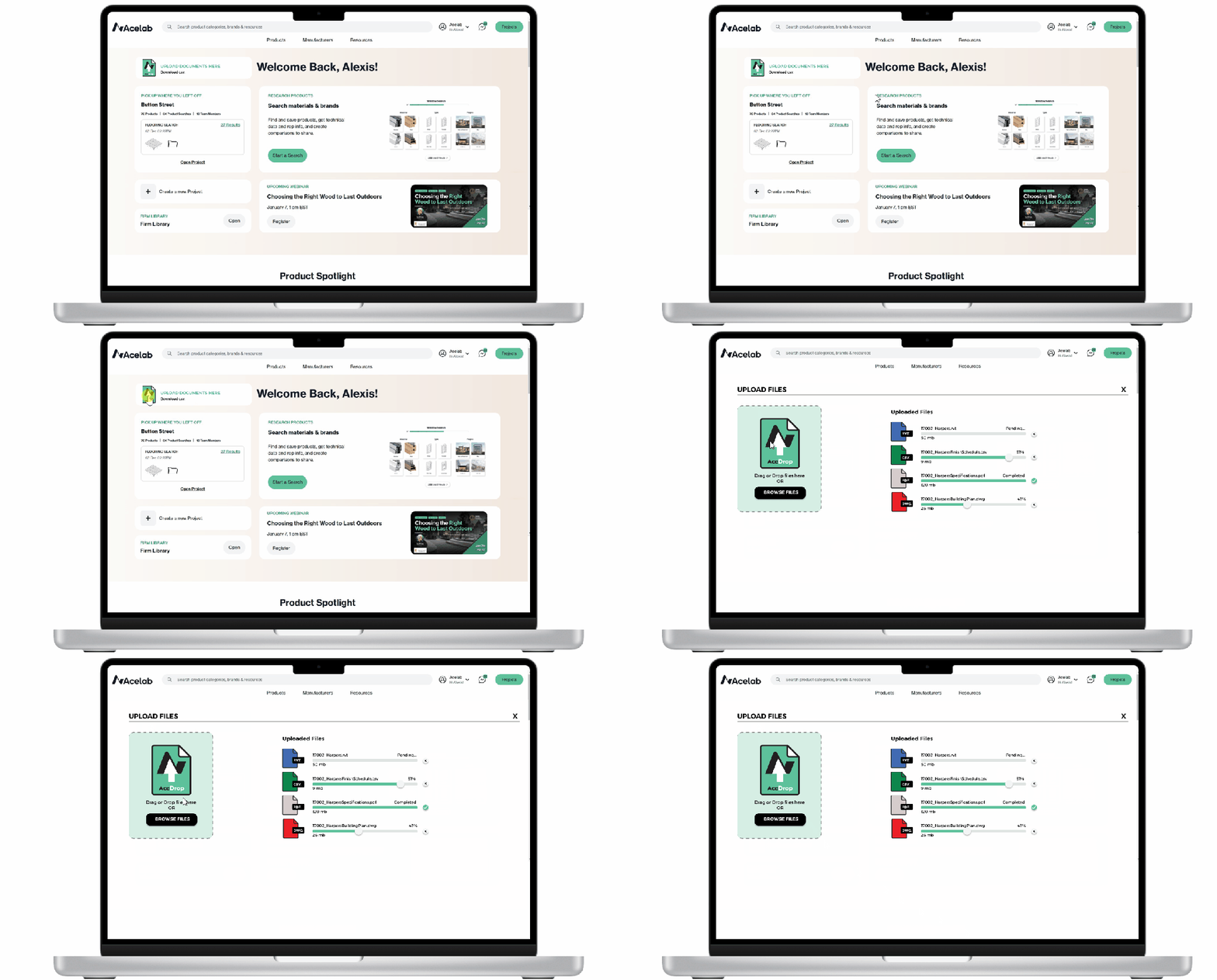
Proposed Solution: To address these challenges, I proposed the development of a new upload tool called AceDrop. This tool allows clients to easily drop in their files, which are then processed to produce a curated Acelab Library. AceDrop’s primary feature is its ability to automatically capture manufacturers and products from client documents, streamlining the process of building and customizing firm libraries. By automating much of the data extraction and upload process, AceDrop aims to reduce the overall turnaround time from two weeks to one day, significantly improving efficiency and client satisfaction.
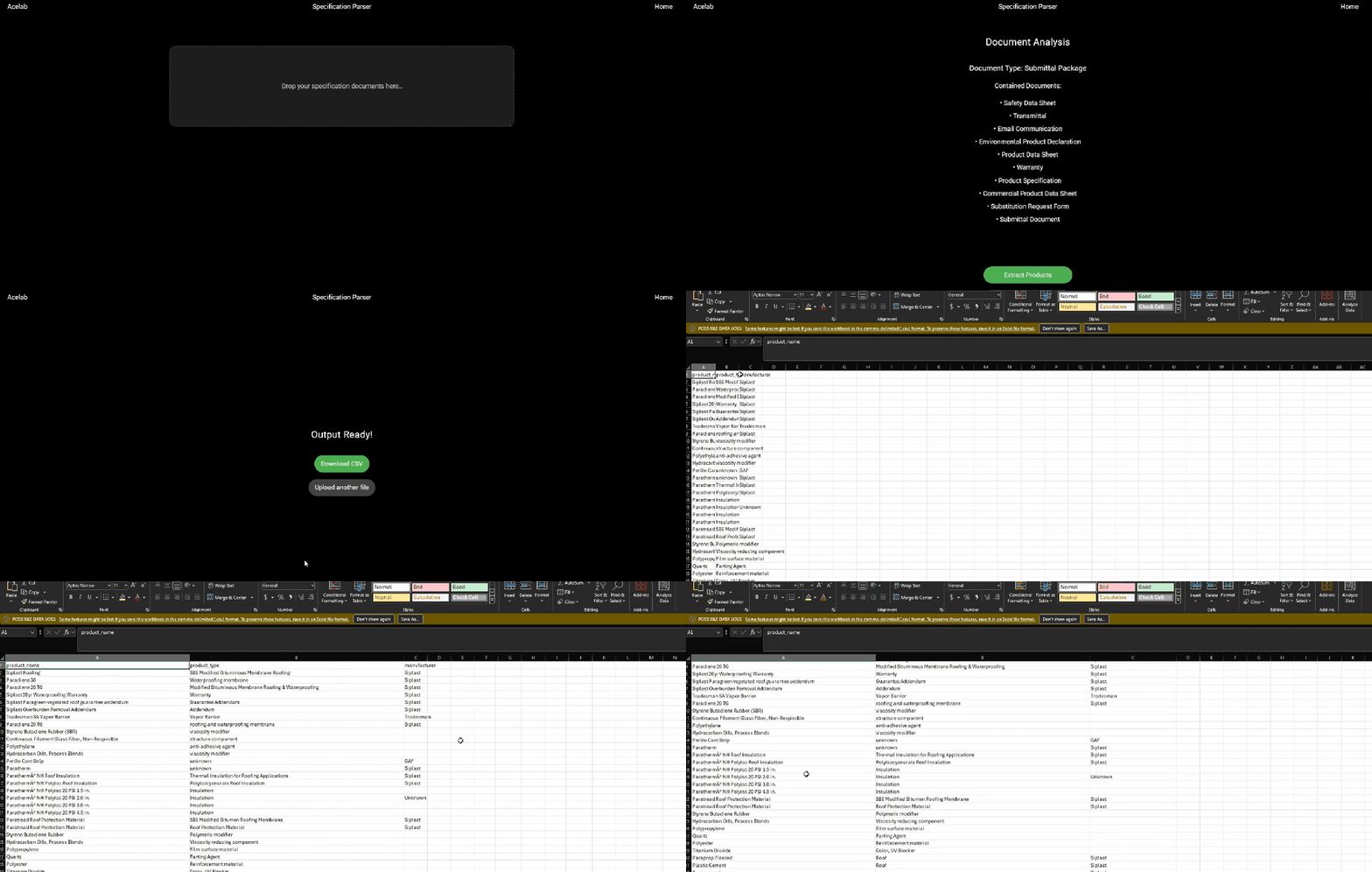
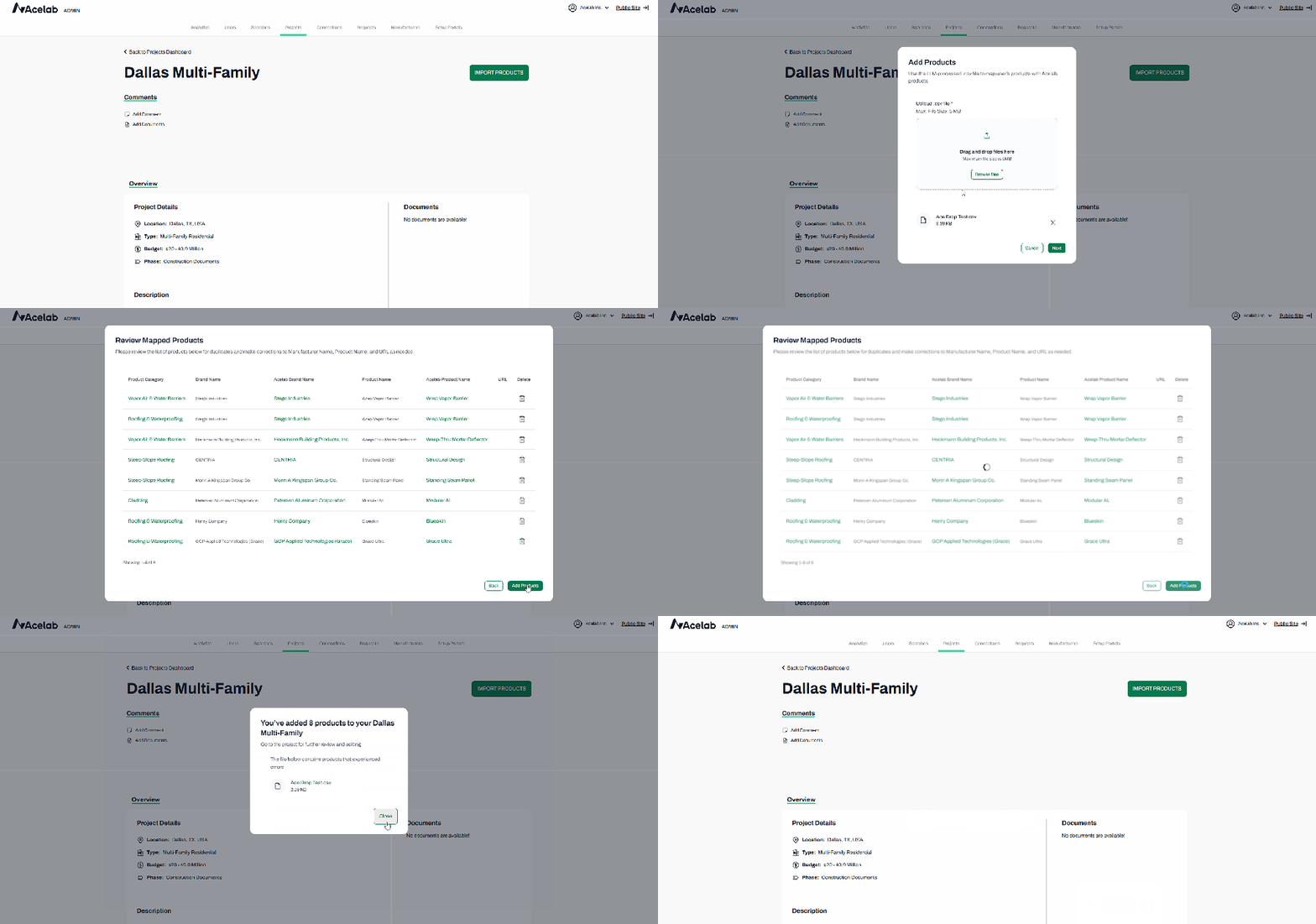
Material Hub demo of our internal upload tool, AceDrop, and its ability to import CSV files generated from SpecParser. Using fuzzy matching, AceDrop matches products to our internal cloud-based material database for bulk uploads to Firm Libraries. Designed by Maynak.
AceDrop V1 Redesign: AceDrop V1 marked a shift from a support-dependent admin import process to a user-driven workflow embedded within Schedules, reducing handoffs and improving ownership of the upload process.
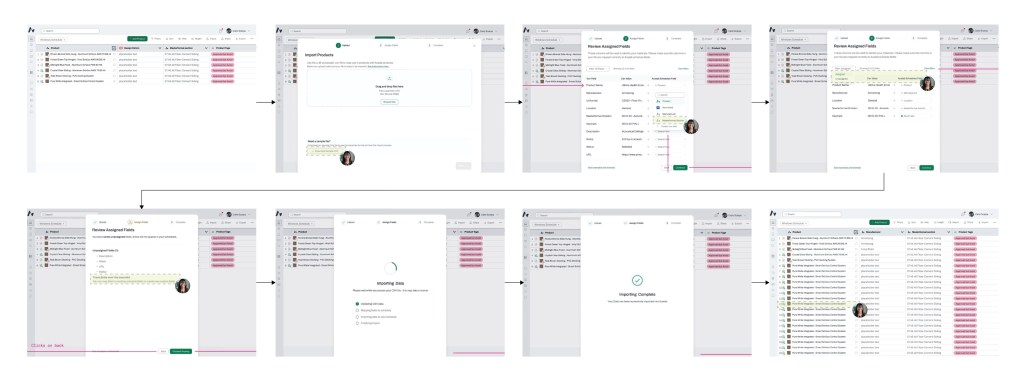
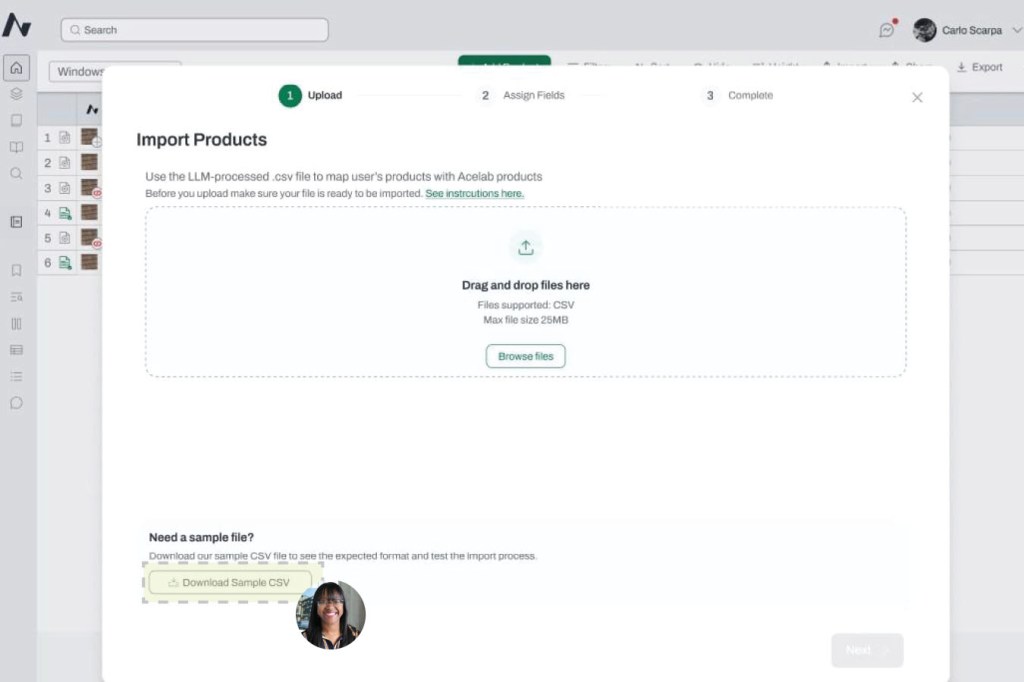
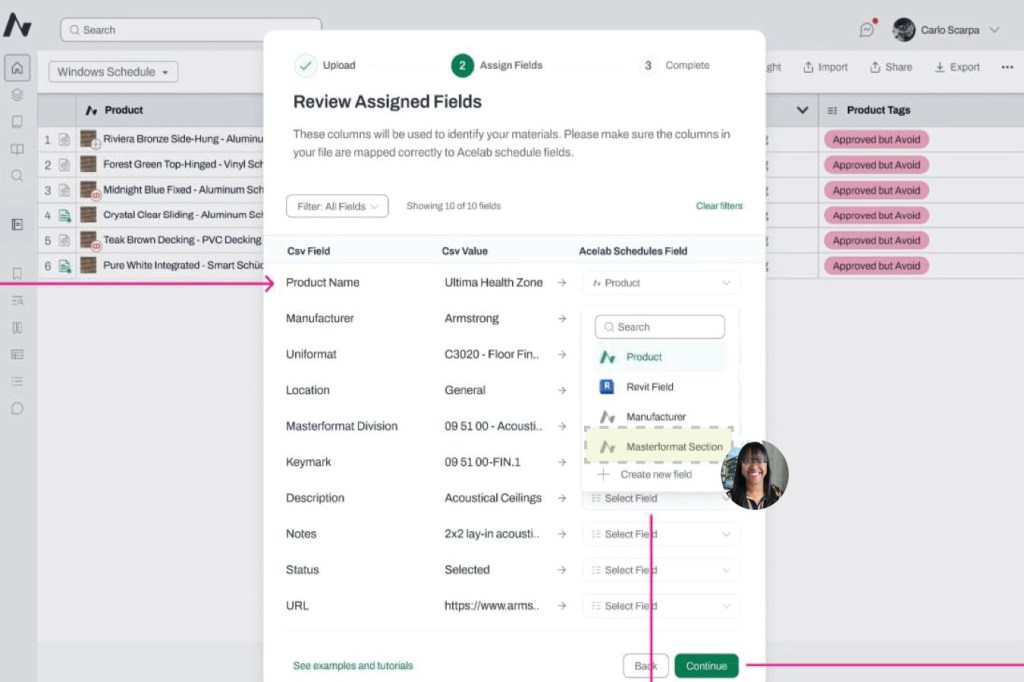
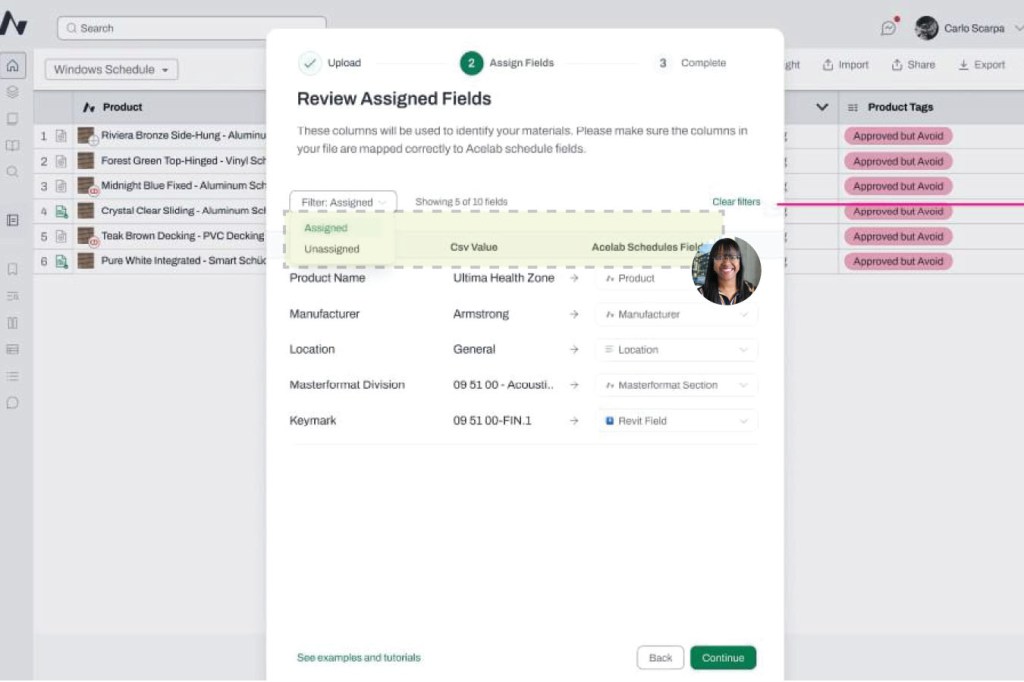
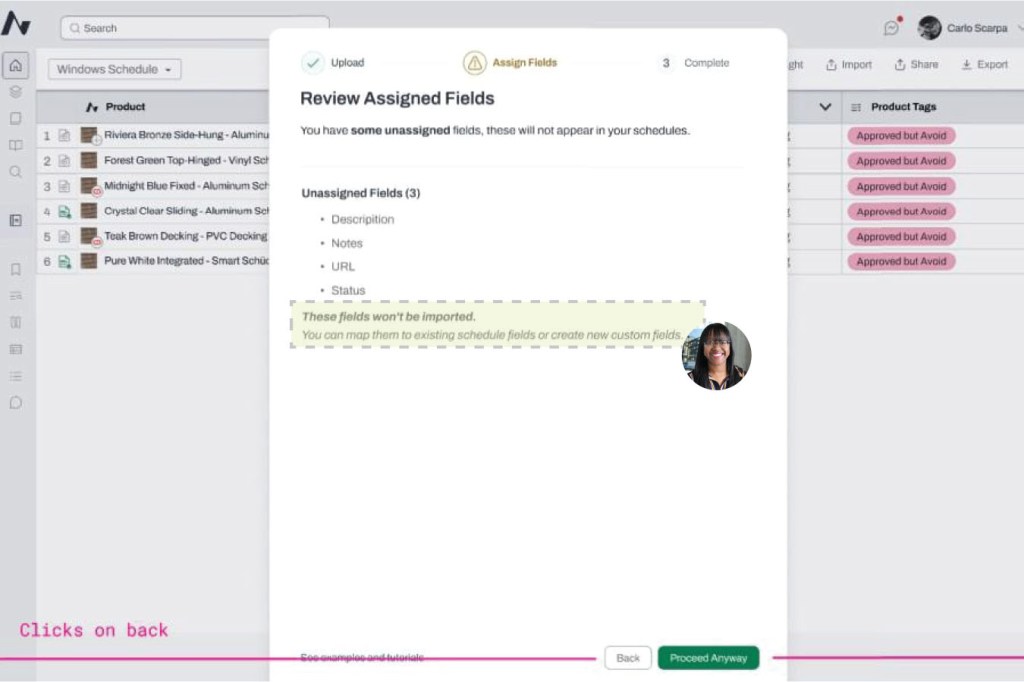
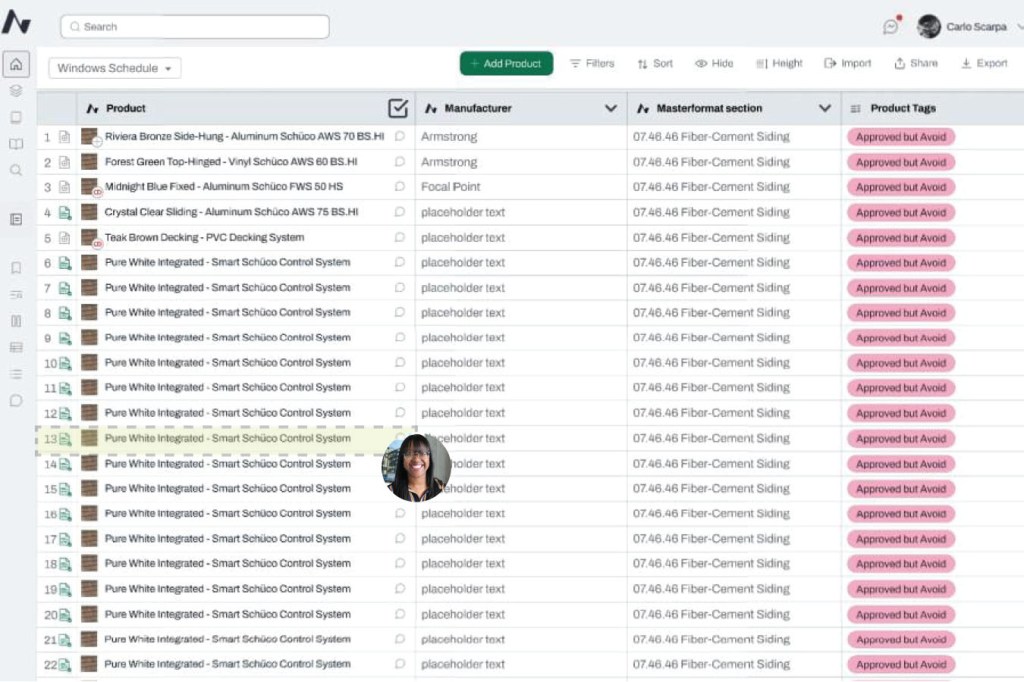
Design Review Feedback:
As the implementation workflow evolved, I represented CX and Implementation Team’s needs during Product and Engineering design reviews, identifying where proposed functionality could create downstream data, usability, or workflow issues.
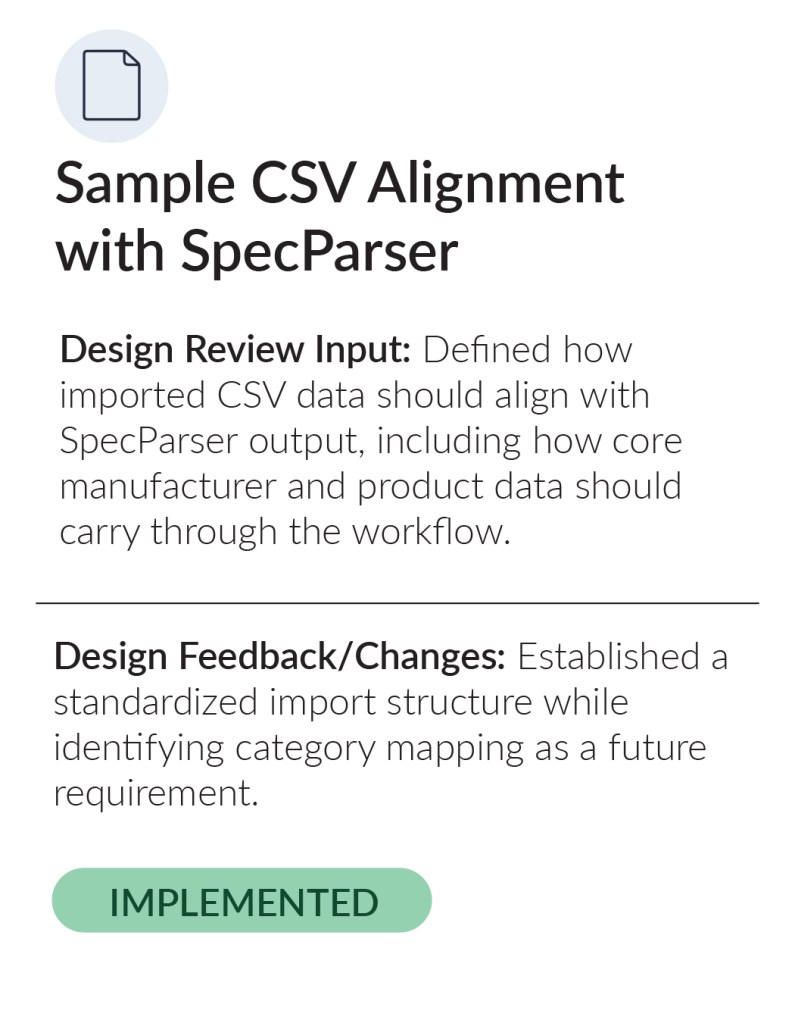
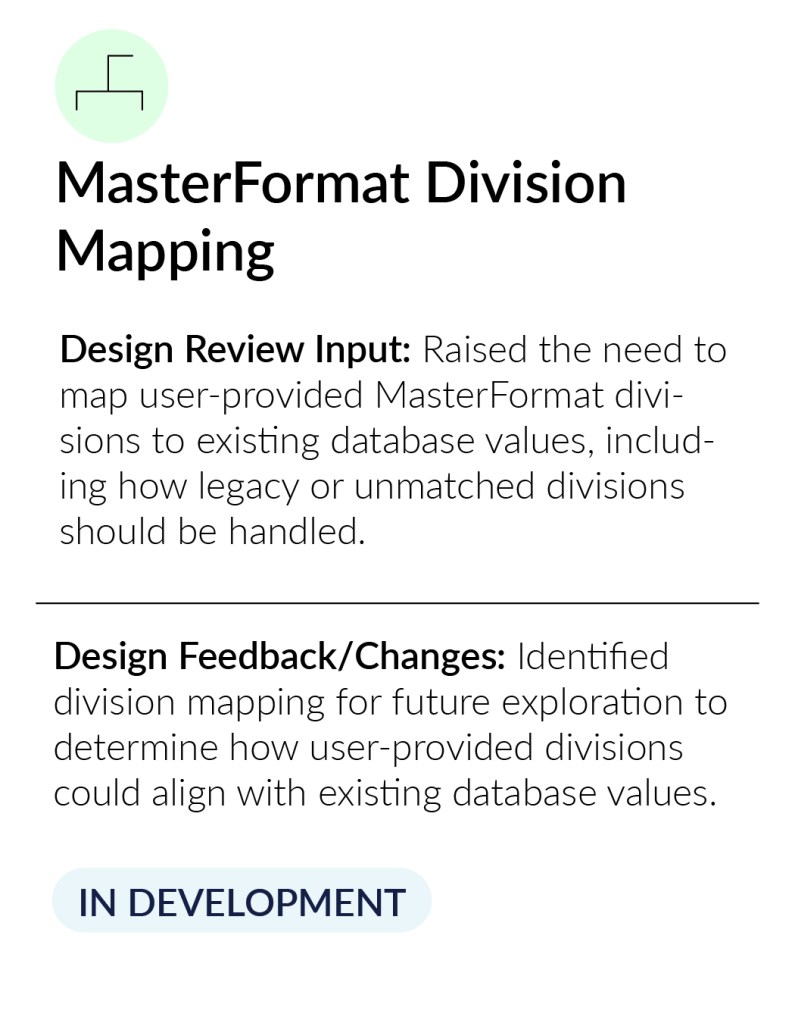
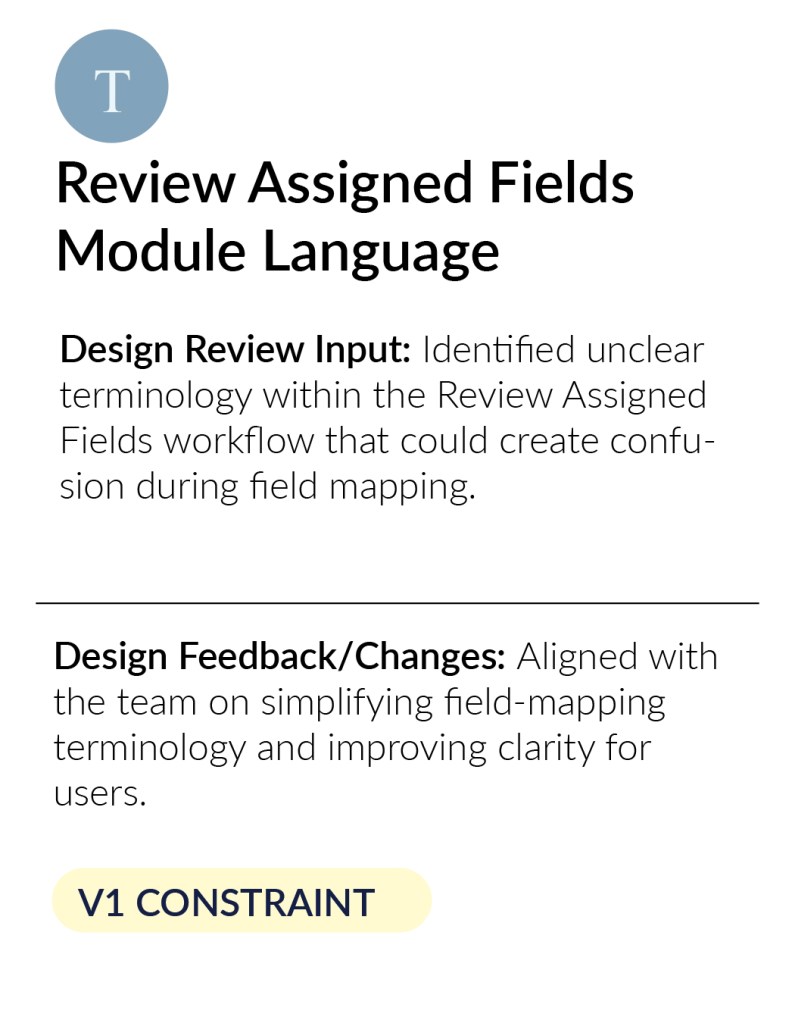
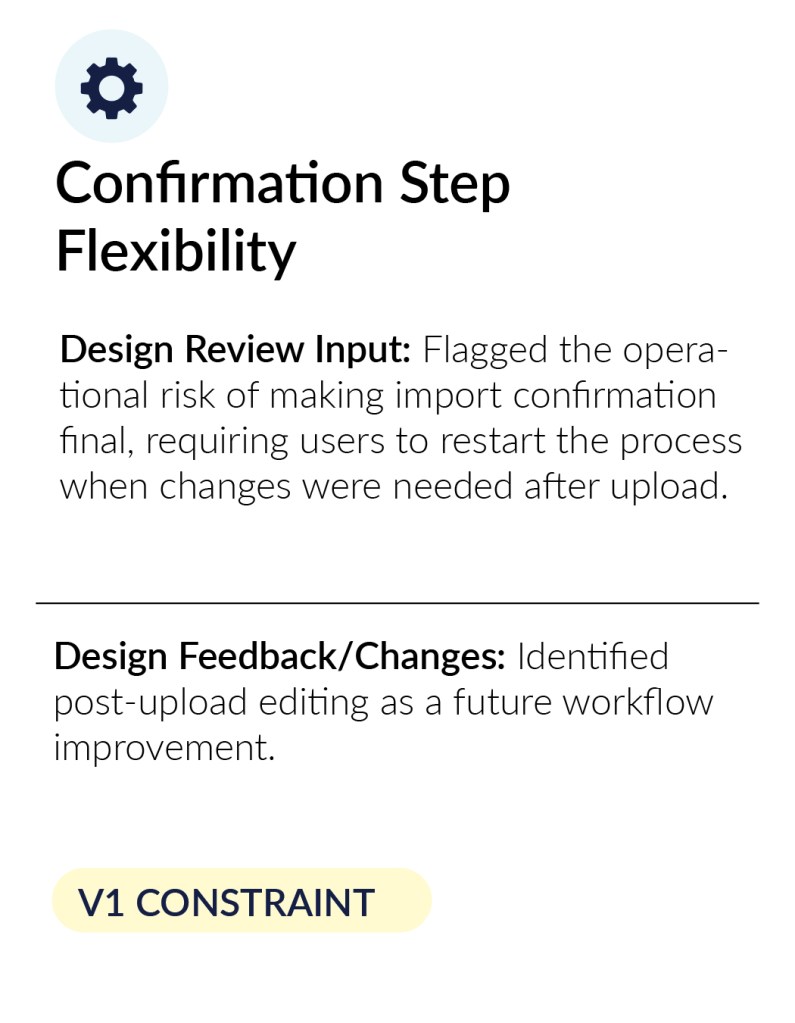
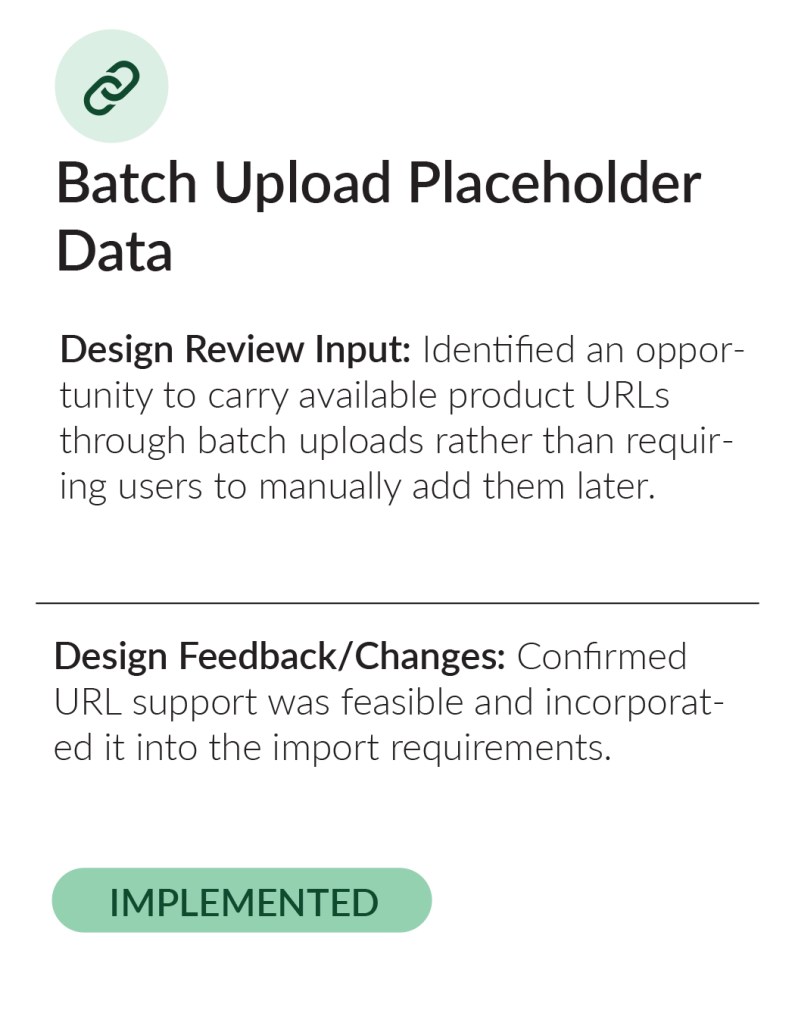
From Workflow Analysis to Implementation
As Director of Material Research on the CX-AECO team, I identified opportunities across Acelab’s implementation workflow where inaccurate data, repetitive tasks, tool limitations, and cross-functional dependencies were increasing implementation time.
I translated these findings into requirements across Engineering, Product, Data, and CX Teams, conducted internal testing against real implementation use cases, and continued validating improvements as they were developed.
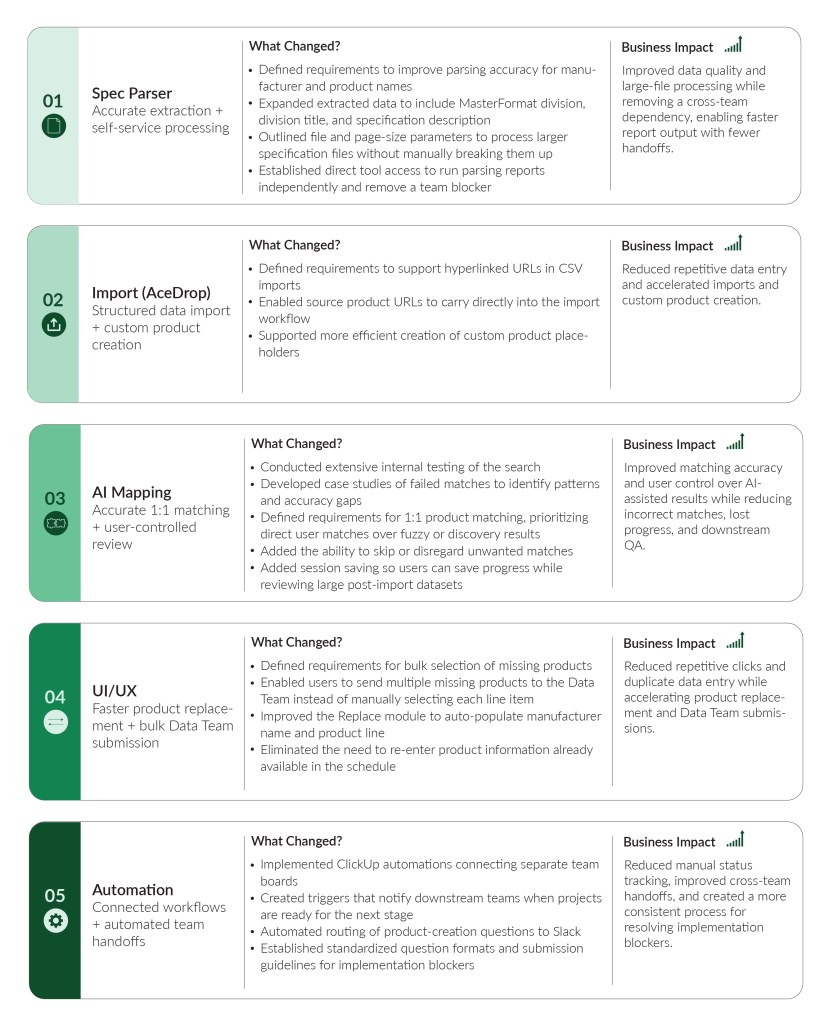
What began as workflow analysis evolved into improvements across five stages of the implementation process: specification parsing, data imports, AI mapping, product review and replacement, and cross-team handoffs.
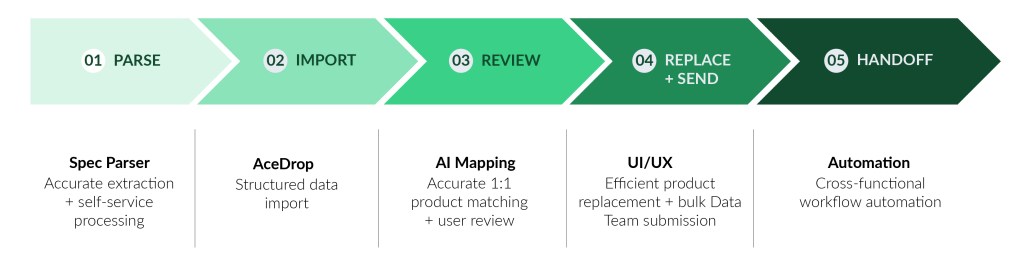
What Changed?
The feedback and insights from design reviews directly informed product and workflow improvements. Here are the key changes that were implemented or are in progress as a result.
Redesigning Cross-Functional Handoffs
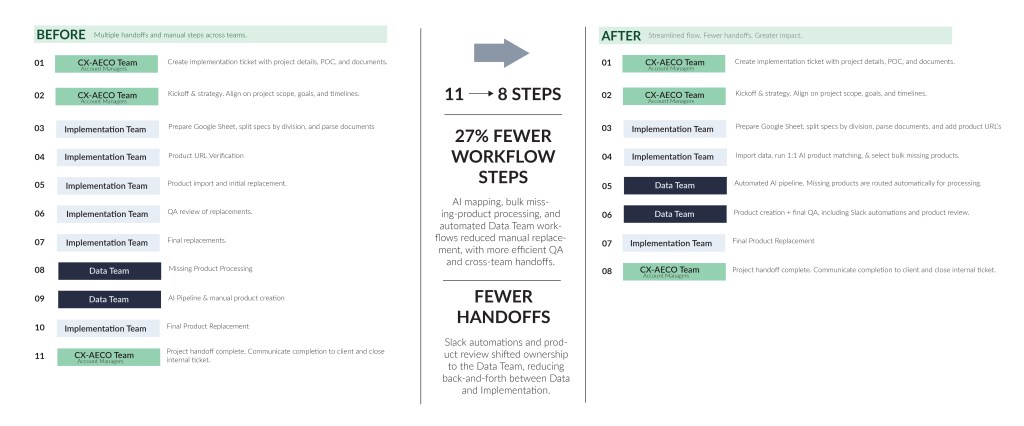
As implementation volume increased, I mapped ownership, dependencies, and handoffs across CX, Implementation, Data, Product, and Engineering to identify where projects were slowing down.
I outlined the changes needed from each department to reduce unnecessary handoffs, clarify ownership, improve communication, and create a more scalable implementation process with a stronger return on team resources.
Key Outcomes:
- 27% fewer steps
- Less manual work
- Clearer ownership
- Greater impact
Building a More Scalable Implementation Model
These changes moved the implementation workflow beyond a series of manual processes and individual handoffs toward a more connected operating model.
My role expanded beyond identifying workflow issues. I translated operational pain points into requirements, tested solutions against real implementation use cases, coordinated needs across departments, removed team blockers, and built automations to improve how work moved between teams.
The continued focus has been to reduce implementation time, improve data accuracy, minimize repetitive work, and increase the team’s capacity to support larger client implementations without proportionally increasing manual effort.


